
Boxcapture fast. pick your top 3.
three things for today, at most

iOS · iPad · free, Box Pro
when
Sorting a to-do app's projects, tags, and due dates can take longer than doing the tasks themselves.
screenshots
free & pro
start free, add Box Pro when you need it
free
- Capture to your inbox from a line in the app, sharing from another app, Shortcuts and Siri, or the Control Center button, with no limit
- Pick and finish today's three, and pick yesterday's leftovers again in the morning
- Pick tomorrow's three in the evening and they move to Today at midnight, with a planning reminder when it's time to pick
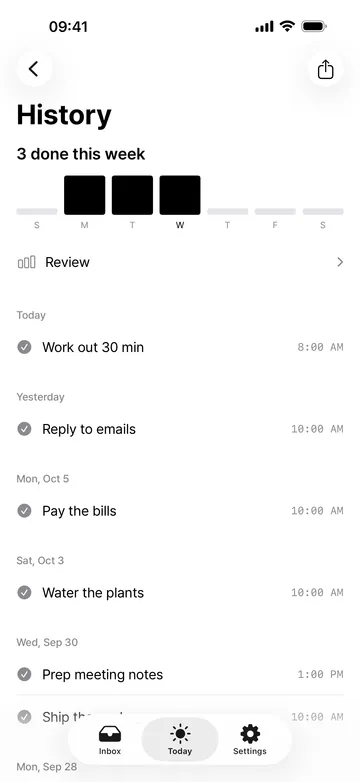
- History by day with a weekly summary, and a card of what you finished today or this week
- The small and Lock Screen widgets, Inbox and Today side by side on iPad, automatic iCloud backup, plus JSON and CSV export and import
Box Pro
- Check off to-dos on the medium and large widgets without opening the app
- Pick inbox items for today on the large widget
- Review last week and last month, the last 8 weeks, and the weekdays you finish most
how it works
done in 5 steps
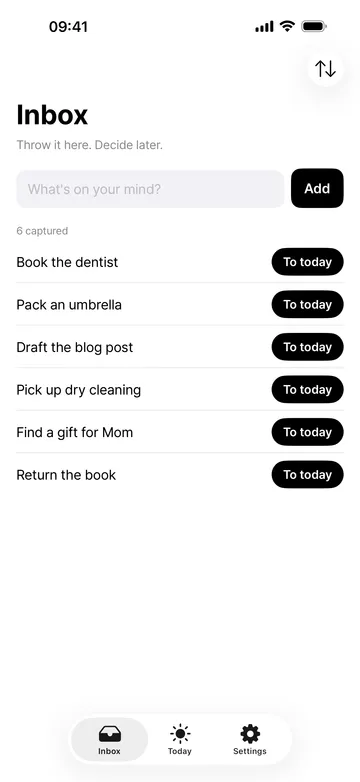
- Type what's on your mind into the box at the top of Inbox and tap Add. From another app, share it to Box.
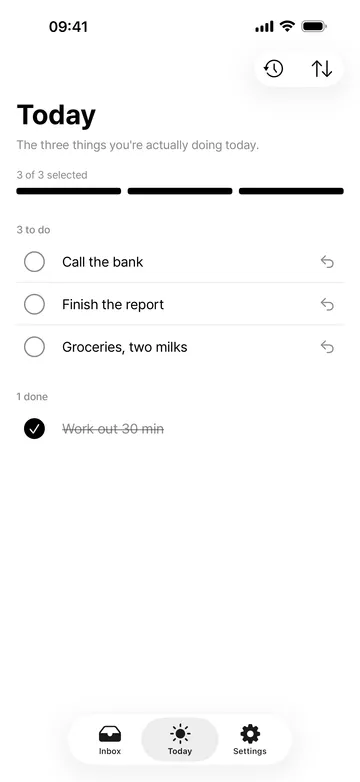
- Tap To today next to what you'll do today. You can pick up to three.
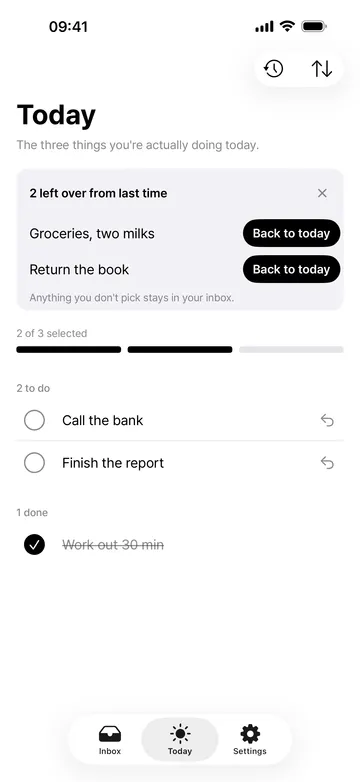
- On Today, tap the circle to check off what you finish. The next day, tap Back to today on the leftovers card to pick unfinished ones again.
- In the evening, tap Pick tomorrow's three on Today to choose tomorrow's list ahead of time.
- Tap the clock icon at the top right of Today to see your history.
what it doesn't do
good to know before you install
- No projects, tags, or due dates. Just two lists: Inbox and Today.
- Today and tomorrow hold three things at most. Everything else waits in the inbox.
- To-dos don't get their own dates or reminders. The one reminder is the planning reminder that tells you when to pick your three.
- Available on iPhone and iPad only.
faq
Why only three things for today?
So Today holds only what you'll actually do. Anything beyond three waits in the inbox, and if you undo a finished to-do while Today is full, it goes back to the inbox.
What happens to things I didn't finish?
They go back to the inbox the next day. Tap Back to today on the leftovers card at the top of Today to pick them again. Anything you don't pick stays in your inbox.
Does Box visit links I save?
Only when you open a saved link or tap Fetch title. Otherwise Box works with no signal.
Where are my to-dos kept?
On this device, and the developer can't see them. There's no account, and an automatic iCloud Drive backup lets you restore on a new device. Export to JSON or CSV anytime, and turn off anonymous usage stats in Settings.
What happens to my records if I stop Box Pro?
To-dos and history you already have are never locked. Capturing, picking, and finishing inside the app are all free, so they keep working. Tapping a to-do on a widget opens the app.

