
Rowa five-year diary, one line a day
one line about today

iOS · iPad · free, Row Pro
when
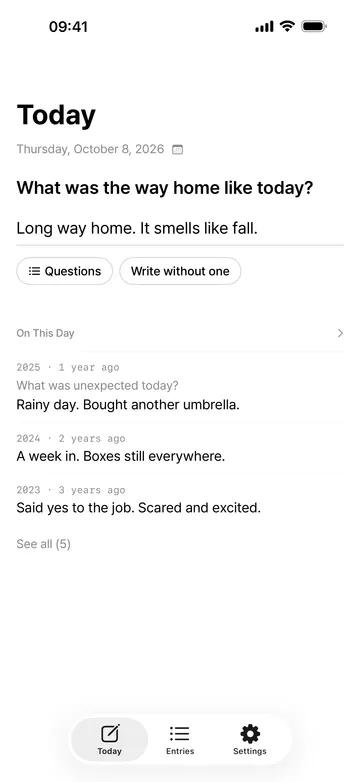
A long journal stalls after a few days, and what happened on this date a few years ago fades from memory.
screenshots
- Row Pro
free & pro
start free, add Row Pro when you need it
free
- One line a day, up to 140 characters, saved when you close
- Write your line as the answer to a question, with 100 built-in questions and 3 of your own
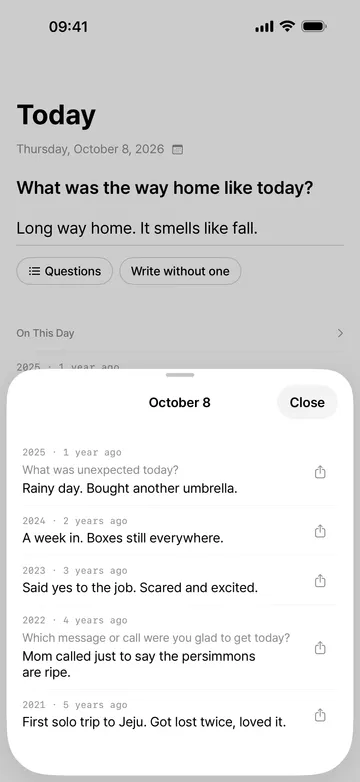
- On This Day shows the same date in past years, and you can share a line as a card
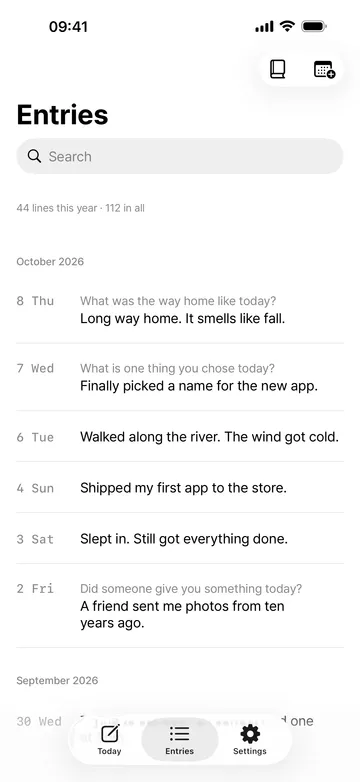
- Fill in past days, browse and search your entries, the month calendar, and the book preview
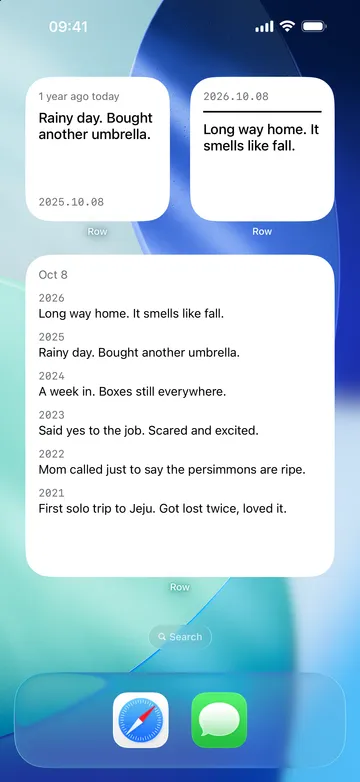
- Two small widgets, Years Ago Today and Today's Line, the Lock Screen widgets, and one reminder at the time you choose
- Automatic iCloud backup, CSV import, and TXT and CSV export
Row Pro
- App lock with Face ID or your passcode, with your lines hidden in widgets too
- The medium and large On This Day widgets, with several years of the same date at once
- PDF books of a month or a year
- More than 3 questions of your own
- Year at a Glance, with every day you wrote in a year on one page
how it works
done in 4 steps
- Type one line about today in the field on the Today tab. Press Return, swipe the sheet away, or leave the app, and it's saved.
- Not sure what to write? Tap Answer a question below the field to answer today's question, or pick another from Questions.
- Below today's line, On This Day shows what you wrote on this date in past years. Today's line comes back there next year.
- To fill in an empty day, open the calendar at the top right of Entries and tap that day.
what it doesn't do
good to know before you install
- One line a day, up to 140 characters. No long entries and no photos.
- Row doesn't show a streak count.
- Import reads only a CSV that starts with date,text or a Row backup file.
- Available on iPhone and iPad only.
faq
I don't know what to write.
Tap Answer a question below the field to see today's question. The question stays with your line, so you can see what it was answering when you read it again. There are 100 built-in questions, and you can make 3 of your own for free.
Can I write for past days?
Yes. Tap the date at the top of Today to pick a day, or tap an empty day in the Entries calendar to write it right away. There are no streaks to break.
Can I bring my diary from another app?
Import a CSV with date and text columns from Import in Settings. You can export everything to TXT or CSV anytime, too.
Where are my lines kept?
On this device, and the developer can't see them. There's no account, and an automatic iCloud Drive backup lets you restore on a new device. Anonymous usage stats never include what you write, and you can turn them off in Settings.
What happens to my entries if I stop Row Pro?
Entries you already have are never locked. An app lock that's already on keeps working, and you can turn it off anytime. Questions of your own beyond 3 stay, and you can still use, edit, or delete them; only adding more is limited. The medium and large widgets show the nearest line.

