
Fitany sport, one line a day
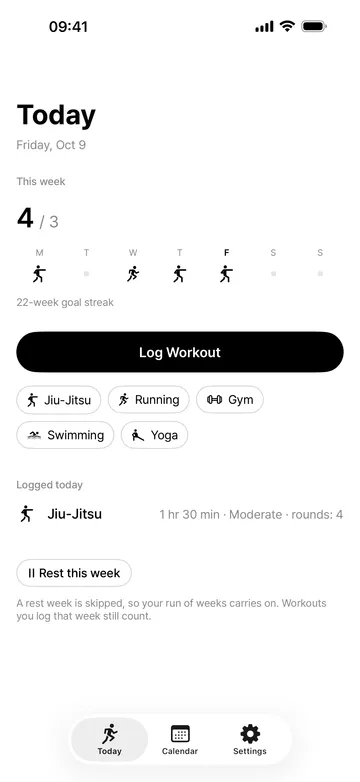
one line: activity and duration

iOS · iPad · free, Fit Pro
when
Workout logs built around sets and weights leave no good place for jiu-jitsu, swimming, or anything without them.
screenshots
free & pro
start free, add Fit Pro when you need it
free
- Log as many workouts as you like, including past dates
- Every activity plus your own, the weekly goal and weeks in a row, rest days and rest weeks
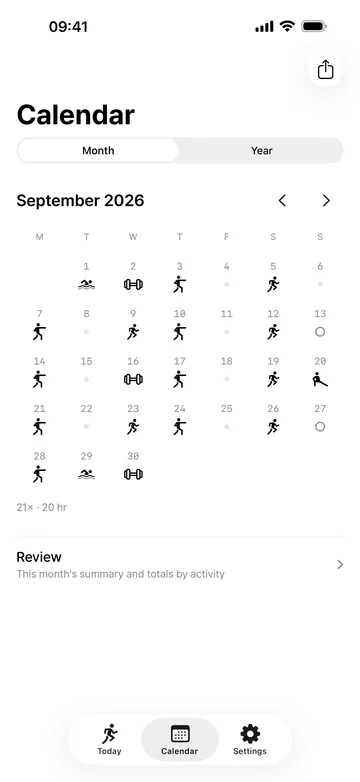
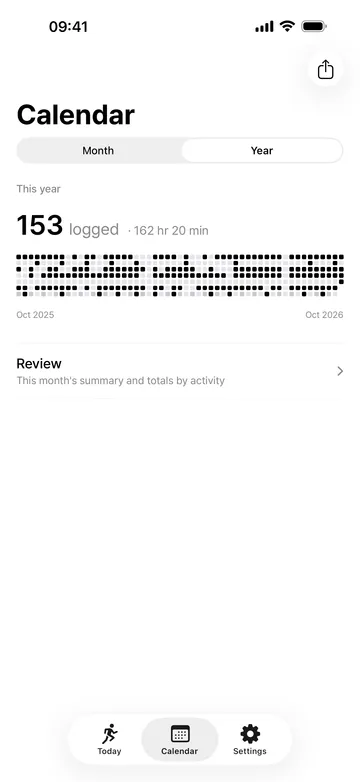
- The month calendar, the last year, and this month's summary in Review
- The log by activity, search by note or activity, and share cards for this week, this month, and the past year
- Small and Lock Screen widgets, reminders, iCloud backup, and export and import
Fit Pro
- Past months in Review: active days and totals by activity
- Year in Review: a year's active days, totals by activity, and sessions per month as bars
- Trends by Activity: sessions per month as bars
- Personal Bests by Activity: longest time, longest distance, and most rounds, with dates
- The medium widget with this week and the last 4 weeks
how it works
done in 4 steps
- On first launch, pick the activities you do and a weekly goal.
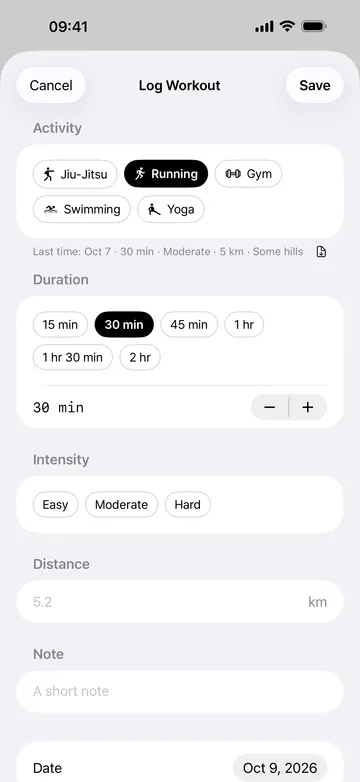
- On Today, tap an activity and last time's duration is already filled in. Just tap Save.
- Add intensity, distance, or a note if you like. To log yesterday or last week, pick the date.
- Open Calendar to see each day's activity as a symbol, and the last year on one screen.
what it doesn't do
good to know before you install
- Fit doesn't record sets or weights. You can put those in the note.
- No GPS and no sensors. You enter duration and distance yourself.
- Fit doesn't give medical advice.
faq
What can I log?
Pick the ones you do from jiu-jitsu, boxing, running, swimming, cycling, gym, circuit training, and home workouts, and add your own. Running can carry distance, and jiu-jitsu can carry sparring rounds.
Will a week off for travel or an injury break my run of weeks?
Mark it as a rest week and it's skipped, so your run carries on. A week still in progress never counts against you.
Is there a limit on how much I log?
No. Logging, the calendar, the weekly goal, search, and export are free, with no limit on entries.
I forgot to log yesterday's workout.
Pick the date in Log Workout to log yesterday or last week. You can also tap that day in Calendar.
Where is my log kept?
On this device, and the developer can't see it. There's no account, and an automatic iCloud Drive backup lets you restore on a new device. You can export to a file and import it back, and turn off anonymous usage stats in Settings.

