
Aimbreak big goals into steps
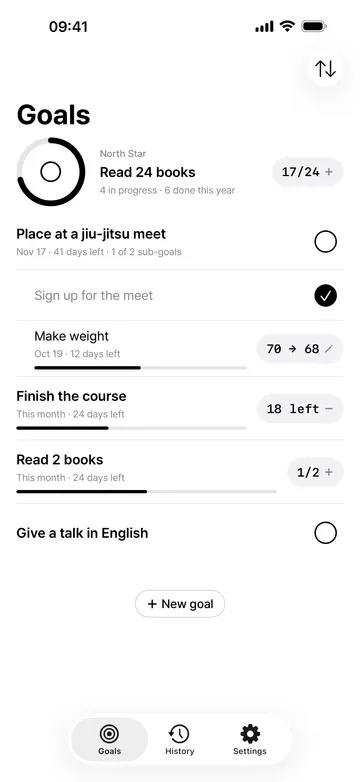
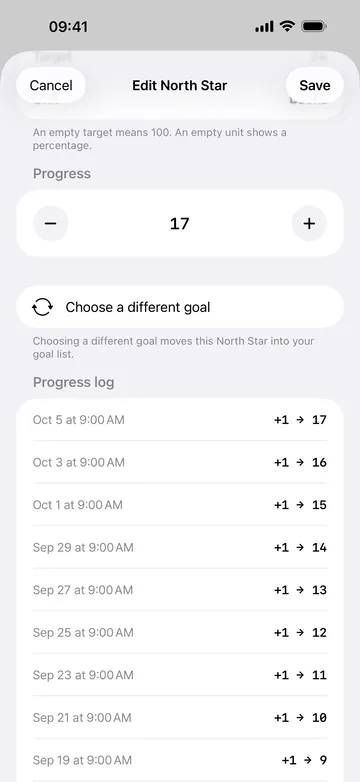
your biggest goal at the center

iOS · iPad · free, Aim Pro
when
Goal tools are built around team and company OKR rituals, with too many fields and steps for goals you set on your own.
screenshots
free & pro
start free, add Aim Pro when you need it
free
- Up to 5 goals in progress, counting your North Star and sub-goals, due this month, this quarter, this year, on a date, or never
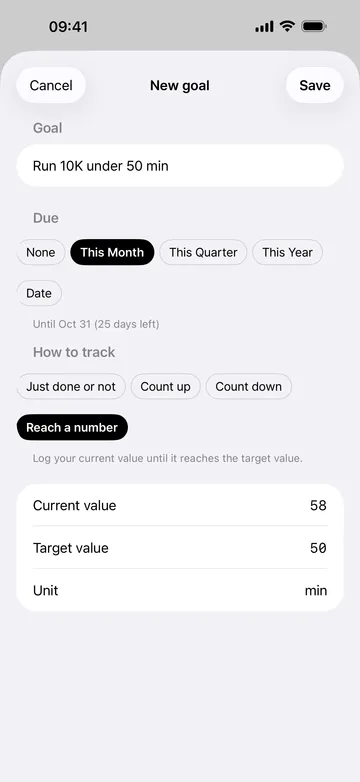
- Four ways to measure: just done or not, count up, count down, or reach a number (up to two decimal places)
- Check-in reminders every day or on a weekday you pick, plus deadline reminders a week before, the day before, and on the day
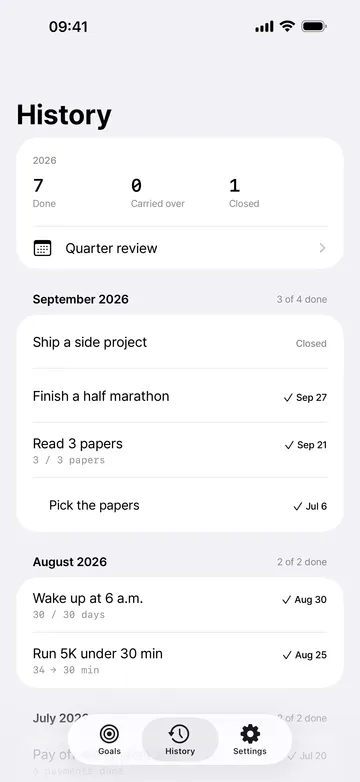
- History, this quarter's review, and share cards for goals you complete
- The small and Lock Screen widgets, automatic iCloud backup, plus JSON and CSV export and import
Aim Pro
- Unlimited goals
- +1 and check off from the medium widget without opening the app
- Reviews of past quarters
how it works
done in 4 steps
- The first time you open Aim, set a North Star and one first goal, then pick a day and time for your check-in reminder.
- On Goals, tap New goal under the list, type a name, choose a due date and how to track it, then save.
- Tap the button at the right of a goal to +1 or check it off. Long-press a big goal and choose Add a sub-goal to break it down.
- Goals you complete gather in History by month, and Quarter review shows what you got done this quarter.
what it doesn't do
good to know before you install
- No team OKR alignment, reporting, or sharing. Aim is a goal app for one person.
- Sub-goals go one level deep, under a top-level goal.
- You tap +1 or type in values yourself. Progress isn't measured automatically.
- Available on iPhone and iPad only.
faq
Do I have to set a deadline?
No. A goal starts with just a name, and you can leave the due date at None. Set one and each goal shows how many days are left.
Can I track goals I can't count?
Yes. Choose Just done or not and you simply check it off. Count up or down for goals like 12 books, or log your current value when there's a number to reach, like a weight.
How many goals can I make?
Up to 5 goals in progress, and your North Star and sub-goals each count as one. A sixth goal and beyond comes with Aim Pro.
Where are my goals kept?
On this device, and the developer can't see them. There's no account, and an automatic iCloud Drive backup lets you restore on a new device. Export to JSON or CSV anytime, and turn off anonymous usage stats in Settings.
What happens to my goals if I stop Aim Pro?
Goals you already have are never locked. Goals beyond five stay visible, and you can still edit them or carry them over. The limit applies only when you make a new goal, and History and this quarter's review keep working.

