
Bedno sensors. just when & why.
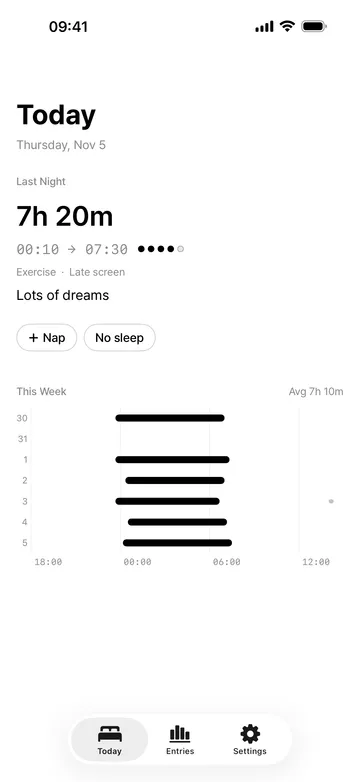
one tap for last night

iOS · iPad · free, Bed Pro
when
Keeping your phone on the pillow to track sleep is a hassle, and by evening you've forgotten why you woke up tired.
screenshots
- Bed Pro
free & pro
start free, add Bed Pro when you need it
free
- Last night comes filled in with your usual times, so most mornings you just tap Save. Naps and nights without sleep too
- Caffeine, alcohol, late screen, stress, exercise, and your own tags, added in a tap
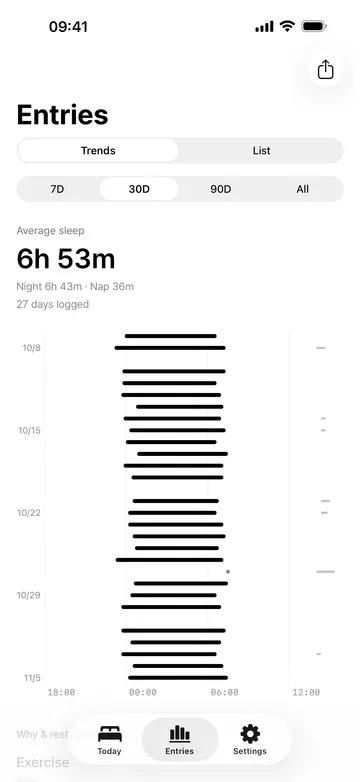
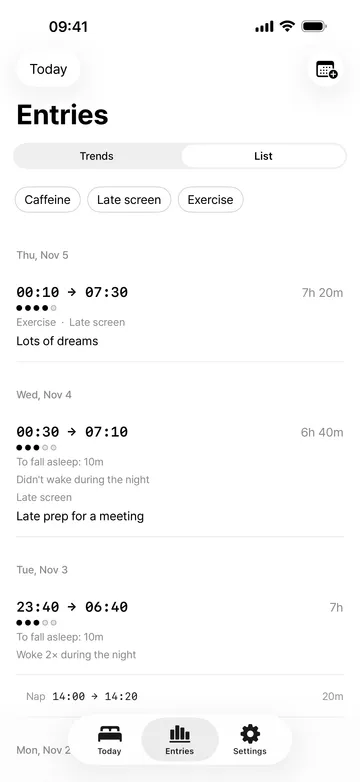
- A sleep bar for each night, and an entry list you can filter by tag
- Trends puts average sleep, bedtime and wake-up, weekdays and weekends, and restedness with and without each tag side by side
- A card for your last 7 days, the Last Night widget for the Home Screen and Lock Screen, Siri and Shortcuts, and reminders
- Automatic iCloud backup, CSV export and import, and a first-page preview of the Sleep Report
Bed Pro
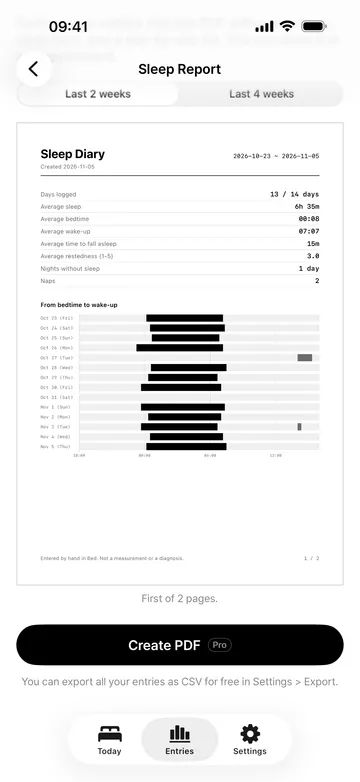
- A PDF Sleep Report of your last 2 or 4 weeks
- The wide This Week widget with 7 nights of bars
how it works
done in 4 steps
- On first launch, set your usual bedtime and wake-up. Last night is filled in from these times.
- In the morning, tap Log Last Night on the Today tab. Check the times, pick your restedness and tags, and tap Save.
- Add how long it took to fall asleep and how many times you woke up under More, only when you want to. Log a nap with Nap on the Today tab.
- In Entries, Trends shows averages and sleep bars for 7 days, 30 days, 90 days, or all. In List, tap a tag to see only the days it's on.
what it doesn't do
good to know before you install
- No microphone and no sensors. You enter when you fell asleep and woke up.
- Sleep data isn't read from other apps. Import takes a CSV or a Bed backup file.
- Bed shows your own entries side by side; it doesn't tell you what caused what, and it doesn't give medical advice.
- Available on iPhone and iPad only.
faq
Do I have to keep my phone on the pillow?
No. Bed uses no microphone and no sensors. In the morning, just note when you fell asleep and woke up, how rested you felt, and why.
I forgot to log this morning.
Tap the calendar button at the top right of the list in Entries, pick the day, and log the sleep you woke up from that morning. If that day already has an entry, you'll edit it.
Is the Sleep Report free?
The report screen and its first-page preview are free. Creating a PDF of your last 2 or 4 weeks comes with Bed Pro. You can export all your entries as CSV for free in Settings > Export.
Where are my entries kept?
On this device, and the developer can't see them. There's no account, and an automatic iCloud Drive backup lets you restore on a new device. Anonymous usage stats never include what you write, and you can turn them off in Settings.
What happens to my entries if I stop Bed Pro?
Entries you already have are never locked. Logging, viewing entries, Trends, and CSV export keep working. The wide widget shows last night only.

