
Learn Sudokuhints that teach, not answers
one technique per chapter

iOS · free, Learn Sudoku Pro
when
Easy puzzles go fine, but medium ones stall you, and you end up guessing or peeking at the answer.
screenshots
- Learn Sudoku Pro
free & pro
start free, add Learn Sudoku Pro when you need it
free
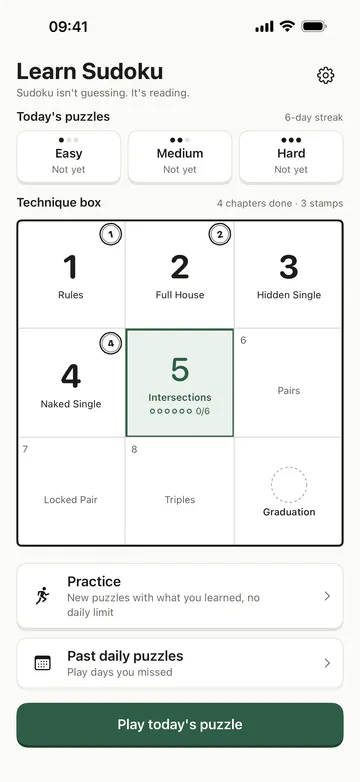
- Technique box chapters 1 to 5: Rules, Full House, Hidden Single, Naked Single, and Intersections
- One easy puzzle every day with a streak, and optional reminders only on days you haven't solved it
- Every hint step in free chapters and the daily puzzle
- No lives and no time limit, with undo and a rewind to your first mistake
- Big number keys, notes, Fill candidates, dark mode, and replaying chapters you've finished
Learn Sudoku Pro
- Chapters 6 to 8 (Pairs, Locked Pair, Triples) and new technique boxes added in updates
- Two more daily puzzles: medium and hard
- Past daily puzzles, picked by date
- Unlimited practice with new puzzles that use what you've learned
how it works
done in 5 steps
- On first launch, tap "I'm new to sudoku" to start with Chapter 1 Rules on a 4x4 board, or "I know the rules - start at Ch. 2".
- Tap a cell, then a number key at the bottom. Jot candidates with Notes, or fill them all at once with Fill candidates.
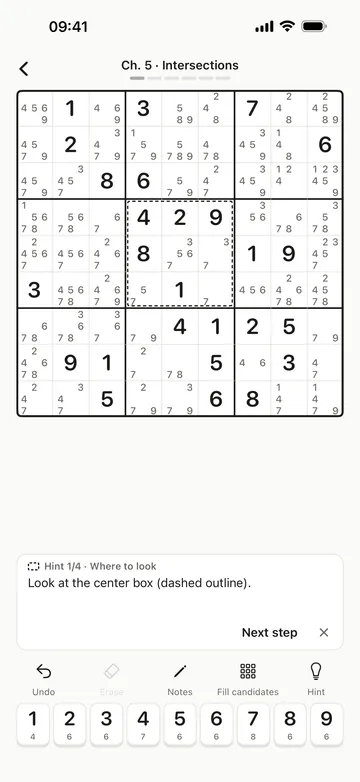
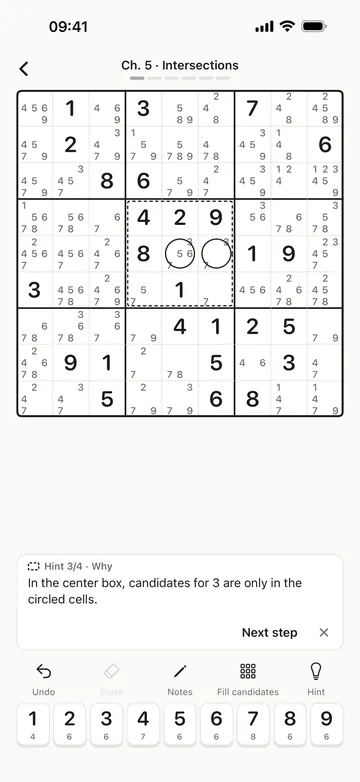
- Stuck? Tap Hint. Each Next step shows where to look, the technique, the cells that prove it, and the result. You place the digit yourself.
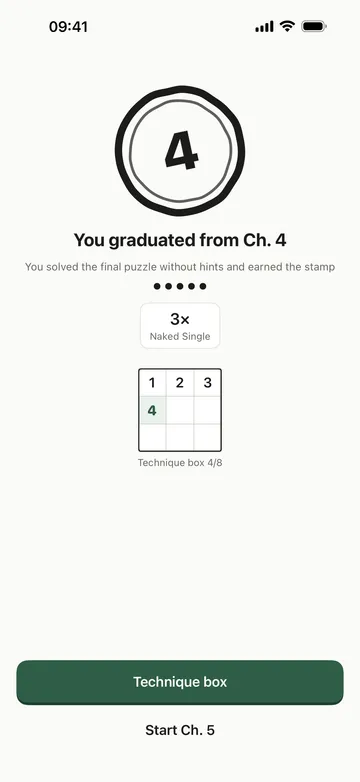
- Solve a chapter's final puzzle to put its number in the technique box. Solve it without hints to earn the stamp.
- Tap Play today's puzzle on the home screen each day to keep your streak going.
what it doesn't do
good to know before you install
- Techniques stop at Triples (Chapter 8), the end of the first box. Advanced ones like X-Wing aren't in yet.
- Progress is saved separately on each device and doesn't sync between them.
- iPhone only, in English and Korean.
- Not sold on the Japanese App Store.
faq
Do I need to know the rules?
No. Chapter 1 starts on a 4x4 board and grows to 6x6 and then 9x9. If you know the rules, you can start at Chapter 2.
Does a hint just give me the answer?
Not right away. It shows where to look, which technique, and the cells that prove it before the result, and you place the digit yourself. Every step is free.
Where is my progress kept?
On this device. There's no account and no server, and it works offline. Purchases are checked with an anonymous ID only.
How do I get Learn Sudoku Pro?
Choose monthly, yearly (with a free trial in many countries), or a one-time lifetime purchase. Family Sharing is supported, and progress is saved separately on each device.
What happens if Pro ends?
Your progress, stamps, and records stay. Chapters 6 to 8, the medium and hard daily puzzles, past daily puzzles, and practice lock again, and everything free keeps working.

