
Pomodakfocus & study with Poddaki
one focus flight with Poddaki

iOS · iPad · Android · free, Pomodak Pro
when
A plain timer gets dull fast, and the time you spent focusing leaves no trace.
screenshots
free & pro
start free, add Pomodak Pro when you need it
free
- Pick Pomodoro, a stopwatch, or a simple countdown, and swipe to choose a duration or type it in
- Breaks follow focus and focus follows breaks, with separate white noise and completion sound volumes
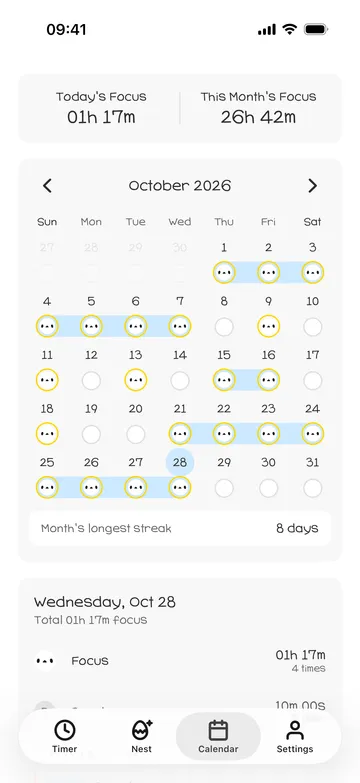
- A stamp calendar with today's and this month's totals, detailed logs, and your longest streak this month
- A D-day, a daily reminder at the time you choose, and a Home Screen widget with today's focus time and your D-day
- Share cards for a day, a week, or a month, plus achievement stamps and the stamp that marks your calendar
- The basic nest looks, feather collecting, and CSV and JSON export
Pomodak Pro
- Every Pro look in the nest, with no time limit
- Choose dark Podark as your character
- The Halloween Light and Halloween Dark backgrounds
- The ghost motion for focus and breaks
how it works
done in 5 steps
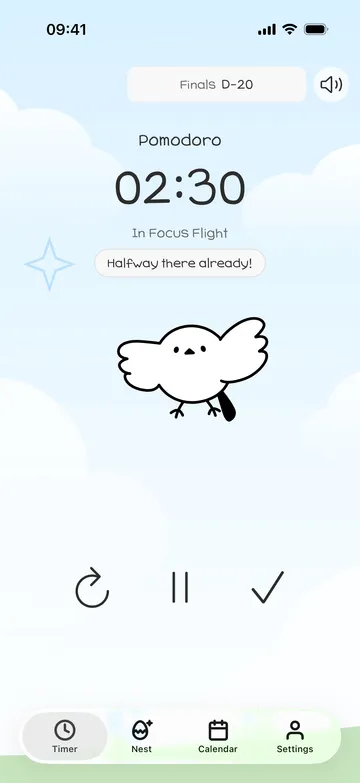
- On the Timer tab, pick Pomodoro, Stopwatch, or Timer in the top left.
- Tap the play button in the middle to start a focus flight, and Poddaki flies beside you.
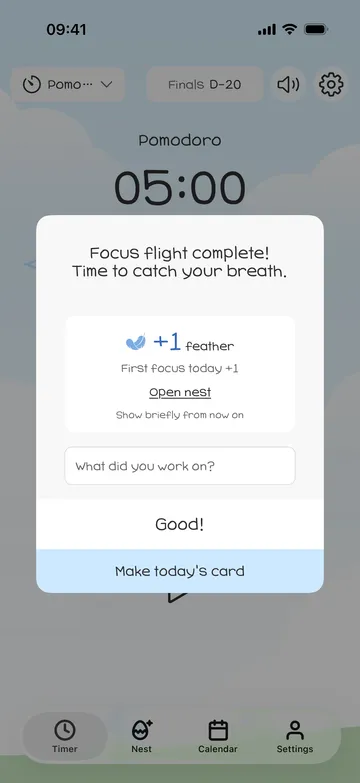
- When you finish, note what you worked on and collect your feathers. Tap Make today's card to turn today into a card.
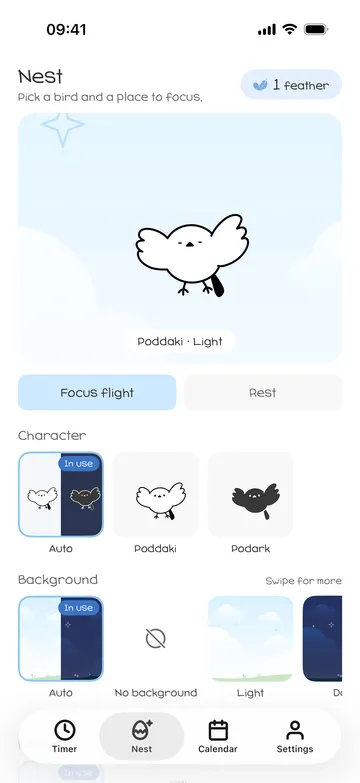
- On the Nest tab, choose a character, a background, and focus and rest motions. Your timer changes right away.
- Open the Calendar tab to see your stamps and focus time, and tap a date to see that day's log.
what it doesn't do
good to know before you install
- Your records and feathers stay on this device. They don't sync to other devices, and deleting the app deletes your feathers too.
- Records export as CSV or JSON. Exported files can't be imported back into the app.
- Feathers can't be bought. A focus under 25 minutes or one you stopped midway earns none, except your first focus of the day.
- Pro looks opened with feathers last only 1 or 7 days.
faq
Where are my records kept?
On this device. There's no account, no ads, and no analytics tool. The app goes online only to check your purchases, which are checked with the App Store (Google Play on Android) through RevenueCat using an anonymous ID. Feathers are included in your device backup.
How do I collect feathers?
You get 1 for each focus of 25 minutes or more (up to 8 a day), 1 for your first focus of the day, 2 for a 3-day streak, and 5 for every 7 days in a row. See what you earned and spent in your feather history.
What can I do with feathers?
Tap a look marked Pro to use it for 1 day with 5 feathers or 7 days with 25. Buy the same look again and the new days start after the current ones end.
I've used Pomodak for a while.
If you installed Pomodak before version 1.15.0, Pro is yours as a thank-you to early users. There's nothing else to do after updating.
What happens if I stop Pomodak Pro?
Your timers, records, calendar, and feathers stay as they are. Only Pro looks switch back to the basic look, and the looks you picked come back if you return to Pro.

