
dotone tap a day. no streak guilt.
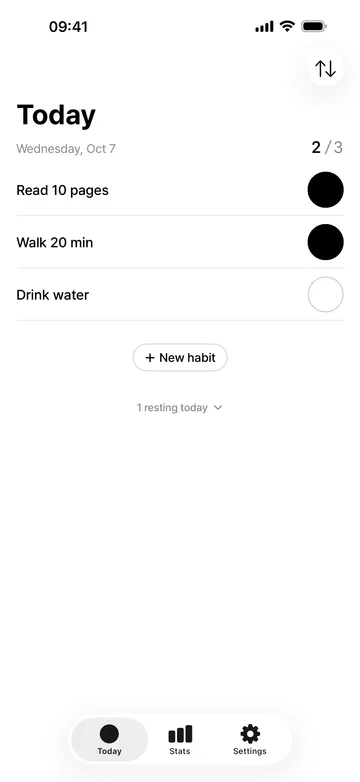
one tap when it's done

iOS · iPad · free, Dot Pro
when
One broken streak feels like failure, and you quit the habit app before you quit the habit.
screenshots
- Dot Pro
free & pro
start free, add Dot Pro when you need it
free
- Up to 4 habits, every day or only on the weekdays you pick
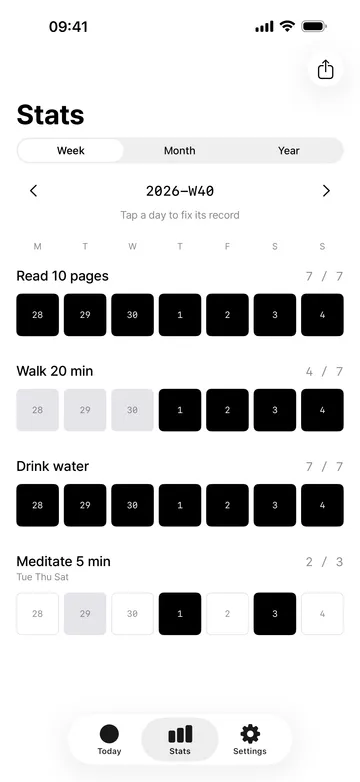
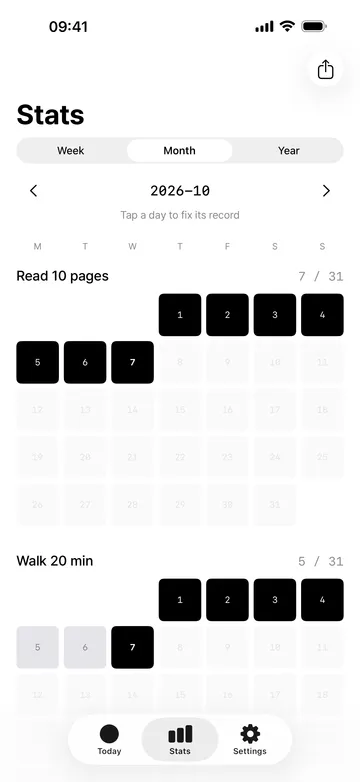
- A week view and a month calendar, where you tap a day to fix a past record
- Share this month as a card
- A reminder time for each habit, plus Home Screen and Lock Screen widgets
- Automatic iCloud backup, plus JSON and CSV export
Dot Pro
- Unlimited habits
- Check habits from the medium widget, Shortcuts, and Control Center without opening the app
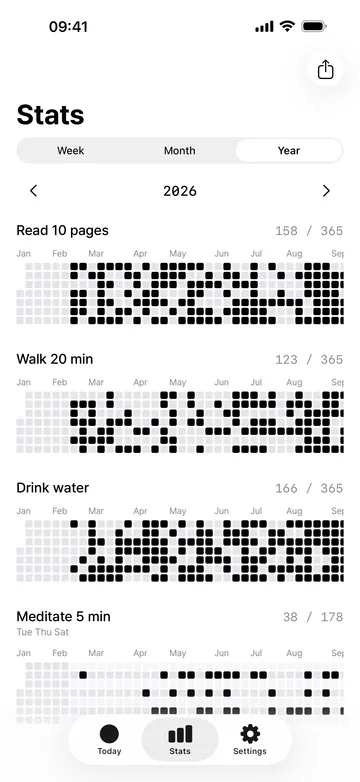
- The full-year heatmap and the This Year card
- A color and shape for each habit
how it works
done in 4 steps
- Add a habit and choose every day or only the weekdays you pick.
- Tap the dot when you've done it. It fills in with a light haptic tap.
- Forgot to check one off? Tap that day in the week or month view under Stats.
- See your week and your month in Stats.
what it doesn't do
good to know before you install
- Dot doesn't show a streak count.
- It records whether you did it that day. It doesn't count amounts, like glasses of water.
- Available on iPhone and iPad only.
faq
What happens if I miss a day?
Nothing. No guilt screens and no broken-streak notifications. Just pick it up the next day.
I forgot to check one off yesterday.
Tap that day in the week or month view under Stats to fix the record.
How many habits can I make?
Up to 4. A fifth habit and beyond comes with Dot Pro.
Where are my habits kept?
On this device, and the developer can't see them. There's no account, and an automatic iCloud Drive backup lets you restore on a new device. Export to JSON or CSV in one tap, and turn off anonymous usage stats in Settings.
What happens to my records if I stop Dot Pro?
Records you already have are never locked. The colors and shapes you picked stay as they are.

