
Learn Chesslessons and daily puzzles
start with a rook and learn your first checkmate
iOS · free, Chess Pro
when
You want to learn chess, but when you get stuck you don't know where on the board to look.
screenshots
free & pro
start free, add Chess Pro when you need it
free
- Lessons that start with your first checkmate: see which squares each piece controls, then make the move
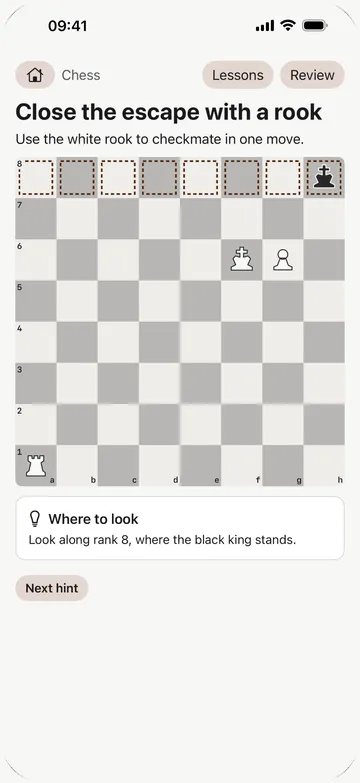
- Four hint steps, one at a time: where to look, which piece to use, why the move works, and where to play it
- Take back a mistaken move and try again, and revisit lesson notes while you solve
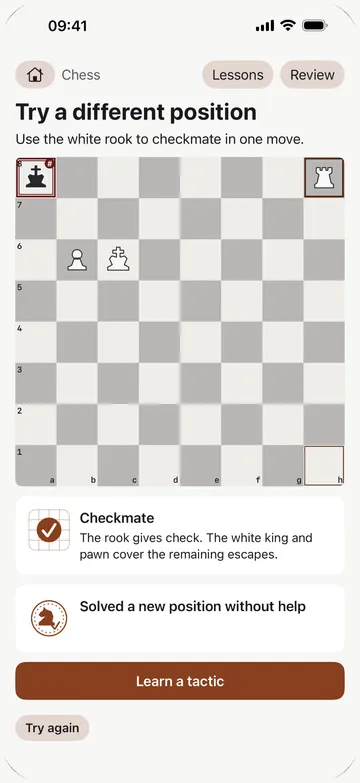
- Find what you learned in a different position, and earn a stamp for solving it without help
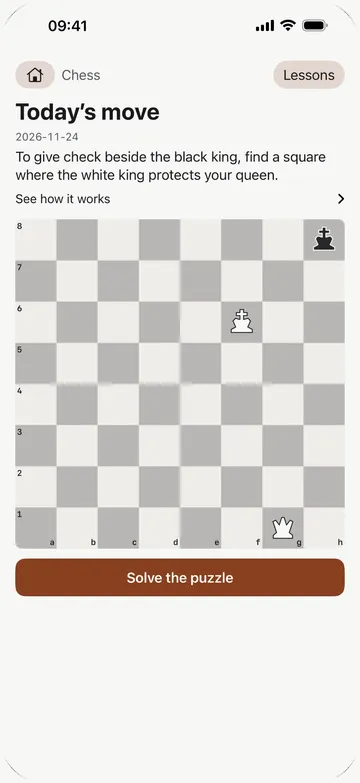
- A daily puzzle you can play offline, plus solo games for practice that you can resume
Chess Pro
- The past-puzzle archive: it starts with the last 30 puzzles and adds one per day from the built-in collection
how it works
done in 5 steps
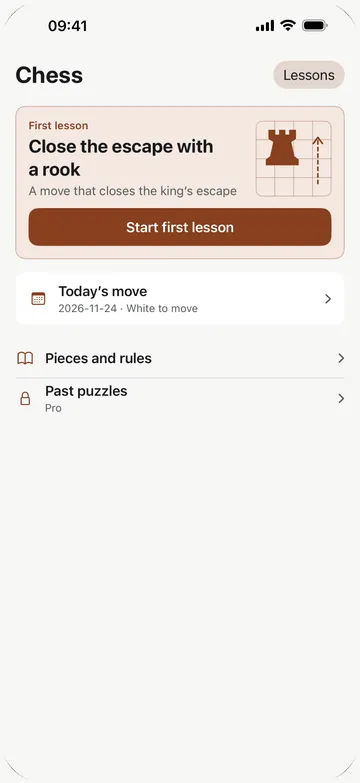
- On the home screen, tap Start first lesson, then Solve the puzzle.
- See which squares each piece controls, then move the piece yourself.
- Stuck? Open a hint. Each Next hint shows where to look, which piece, why, and where to play it.
- Tap Take back to undo a mistaken move and try again. The next lesson asks you to find the move in a different position.
- Tap Today's move on the home screen to solve one puzzle each day.
what it doesn't do
good to know before you install
- The daily puzzle comes from 385 built-in positions that open in sequence and cycle after the last one.
- The past-puzzle archive only grows within the built-in collection.
- Purchasing and restoring may require an internet connection.
- iPhone only, in English and Korean.
faq
Do I need to know chess already?
No. The first lesson starts with a rook closing the king's escape. It shows which squares the pieces control, then lets you make the move. You can also practice how the pieces move in Pieces and rules on the home screen.
Does a hint just give me the answer?
Not right away. It reveals where to look, which piece to use, why the move works, and where to play it, one step at a time. You move the piece yourself.
Does it work offline?
Lessons, the daily puzzle, and saved progress work offline. Purchasing and restoring may require an internet connection.
How do I get Chess Pro?
Choose monthly, yearly (with a one-week free trial for eligible customers outside Korea), or a one-time lifetime purchase. All three open the past-puzzle archive, and Family Sharing is supported.
Do I need an account?
No account is required. Usage analytics (counted with a random per-device ID, no name or contact info) is on by default, and you can turn it off in Lessons > Settings > Usage analytics.

